Creating a UPS Shipment
Initial Setup
1) Since all users must have a personal UPS account prior to being linked to CPCS’ account, please send an email to [email protected] to request this be setup.
2) Once you receive confirmation from the Traditional Payments Team that your account has been created and you have been linked to the assigned CPCS account, you should be ready to Create a Shipment (ship packages, create & print shipping labels from any computer, etc.); use this link for more shipping information: Shipping Support
Creating a Shipment
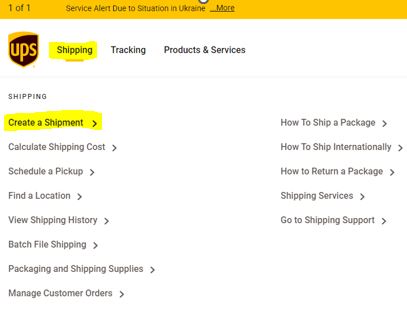
3) Visit UPS then click Shipping (upper left side of page) followed by Create a Shipment:
4) Answer any and all questions about the package being shipped.
5) For section 5 of the process, Payment, when you’re asked, “Who should we bill for shipping charges?” make sure to choose Bill My Account as well as enter the assigned shipper account # and zip code.