If you want to undo an edit you made to a MyGideon page, you can revert to a previous version of the page:
- Click the date & time link under “Last modified”
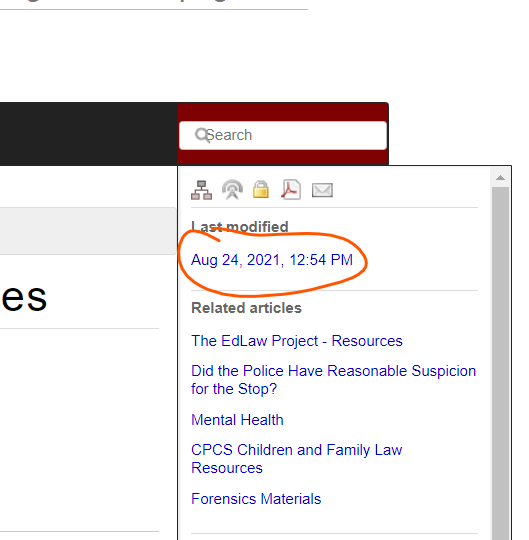
- Find the most recently saved version before you made your changes, and mouse over the last column. Three icons will appear, click the one with the green arrow to revert to that version, and then click OK to confirm.

